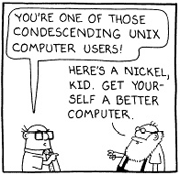
 It’s pretty strange to me that on those rare occasions when I watch TV I see lots of commercials on from Microsoft comparing Bing to Google claiming that Bing is better when really, it’s a matter of personal preference and taste. I mean, people search the Internet for various and different things and sometimes even the same things but that doesn’t mean that they are seeking the same thing, and even if they are seeking the same thing, they may not want the same results. That’s one of the beauties of the ‘net, it’s ALL subjective! Bing is no better than Google, no more than Google is better than Bing. It’s up to the user, not some fake dork looking geek yelling “Bing it ooooooon” through a megaphone. Give me a break.
It’s about like the Internet Explorer commercials saying that they give you the power to do more, or something about family moments or whatever. I mean, Internet Explorer is pre-installed (or included, or built-in, or whatever, take your pick) on EVERY Windows™®© installation everywhere, and it is still a solid third place contender. For a long time it was second place behind Firefox, but then Chrome surfaced from Google, and now IE has slid to third. Currently, and since about March 2012, the list has Chrome in the lead with 53.2%, Firefox holding on to second with 27.8% and Internet Explorer in third with 12.1% – and that’s while still being the default and only browser on new installs of Windows. If someone wants Chrome or Firefox or anything else they have to use Internet Explorer to go get it! I know, I know, you all already know that. I just don’t know how Microsoft can even think that they have the top end product when it STILL won’t render HTML5 properly.
When we shift the subject to operating systems, the subject becomes even more based on the user and their personal preferences. But then, that’s really yes and no, because most users are pretty much held captive by Windows, and that’s nothing bad or nefarious on Microsoft’s part. It’s just that the majority of computer users out there just don’t know enough to use any other operating system. They know enough about Windows to use it, to get along, and so that’s what they choose. In most cases it’s not even a conscious choice, it’s the only choice, most don’t even know there’s an alternative. Although that’s starting to change a bit since Apple and OSX came to town. Apple took a page from Jean-Louis Gassée’s book with OSX. Jean-Louis Gassée is the man who created the best operating system known to mankind, BeOS. He had the idea that it would be easier to make UNIX user friendly rather than make Windows stable, and created a UNIX based operating system with a beautiful and incredible use interface. Ultimately BeOS didn’t make it, but OSX followed in the same foot steps in my opinion, it’s a UNIX based operating system that is beautiful and easy to use and is becoming more and more popular to date. A year or two ago (I don’t know if it’s still true), Apple was the largest seller/distributor of UNIX based computers in the world. Not bad for a company that almost went under a few years prior!
What does all of my useless rambling mean? Not a darn thing! LOL Except that ultimately, despite what big companies might try to tell us, and what we might believe ourselves, it’s the consume that has the power in the end to drive the industry, and we simply have to vote with our dollar bills. Buy the good stuff and ditch the bad, and for free stuff and open source stuff, it’s pretty much the same, support the good and ignore the bad.
It is my opinion that the Internet is the great playground leveler. Whether it is technology, or entertainment, singing or playing an instrument, dancing or whatever on YouTube, if it’s good … people will like it and view it and share it and it will come to the top. Whereas the bad will fall off into obscurity. The Internet gives even the little guy the chance to be a star at whatever it is that he has chose as his arena fight in. Now, go get some sleep!
 I could try to ad-lib this, but the article says it much better than I could, so here goes:
 So, recently I was setting up a new rack of effects for processing vocals, and when I turned on my ALESIS Quadraverb … it was not working. Just a blank screen though the backlight was lit. What’s the point you ask?? I’m glad you asked that! In the process of troubleshooting my unit, I found a long list of reset procedures for lots of ALESIS products. So, I thought I’d post that list here for anyone that may need it. Plus, it’ll help make sure that this information doesn’t disappear by having it on another site. Here is the list:
 There is a new vulnerability out there in OpenSSL called
  Just in case you need to know your Internet facing IP address, I have setup a new page just for the purpose of showing you that information and more, right down to your longitude and latitude just in case any of you are hiding some ICBM’s in your backyard and want to reach out and touch someone! So check it out, go to
  Are you working on a website? Do you want to do all of the creating and coding of the ‘favicon’ stuff by hand? Heck no, it’s a pain in the rear! No doubt you can do it but it takes a long time and it gets old after you do it a few bazillion times, right? So what’s a poor web developer to do? Well, check out this site: